
What is Bioinformatics? A Complete Beginner’s Guide to Bioinformatics and Computational Biology
Chapter 4 of 5: How this tutorial series builds your skills, and how we keep it up to date
How this tutorial series helps you build bioinformatics skills
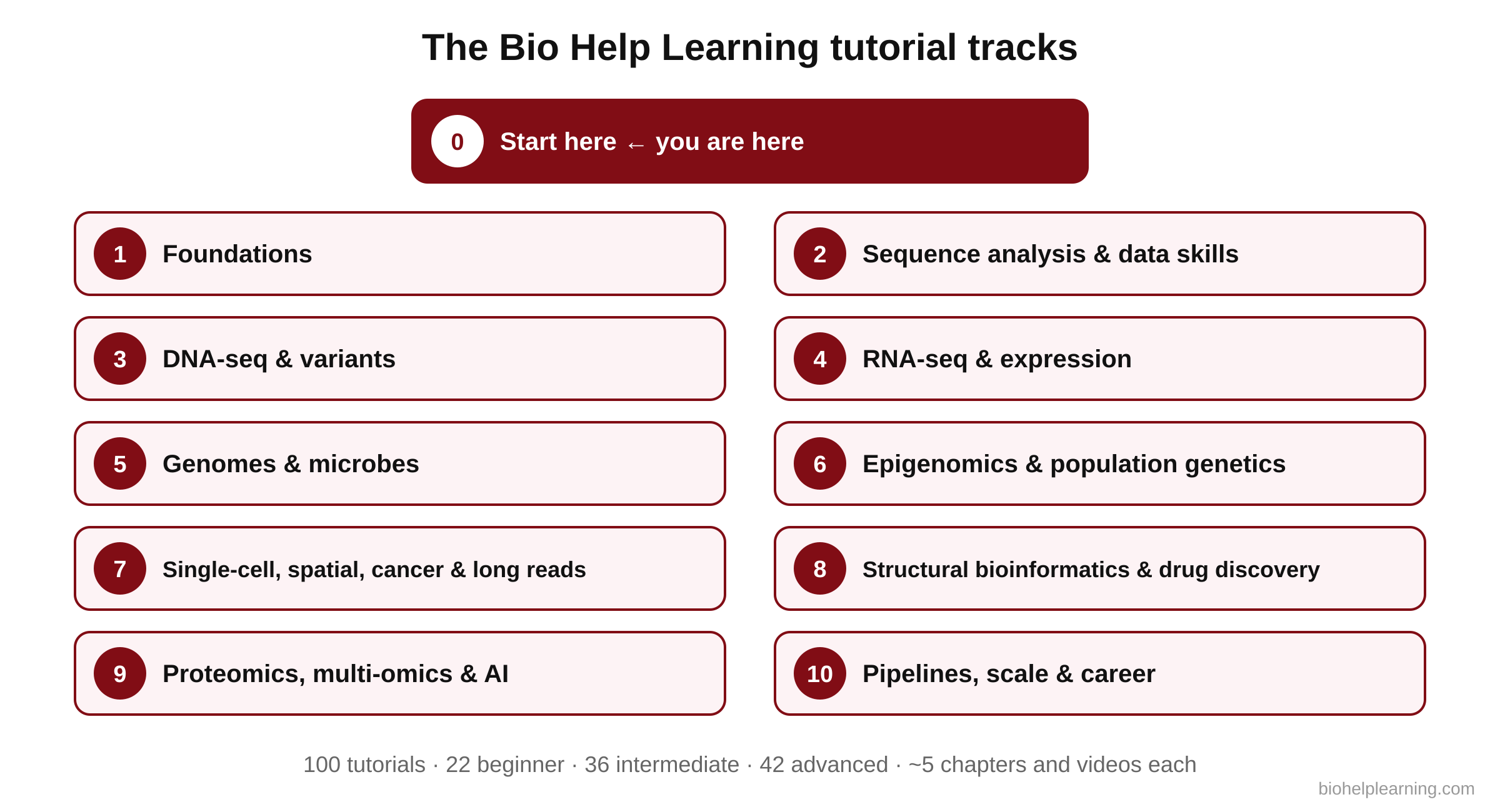
The Bio Help Learning tutorial series is planned as 100 free tutorials in 10 learning tracks: 22 beginner, 36 intermediate and 42 advanced. Each track builds on the one before, in the same order a real project grows: foundations first, then sequence analysis, then DNA-seq, RNA-seq and beyond. Every tutorial has about five chapters, each with its own chapter video.
| Track | What it covers | Example tutorials and tools |
|---|---|---|
| 0. Start here | The field, careers and how to study | This tutorial |
| 1. Foundations | The tools every bioinformatician uses daily | Linux, Conda/Bioconda, file formats, NCBI/Ensembl/UniProt, SRA/ENA downloads, BLAST, Python, R, Git, IGV; Quality control with FastQC and MultiQC (already live) |
| 2. Sequence analysis and data skills | Scripting, alignment of sequences, statistics and plots | Bash loops, Biopython, MAFFT/MUSCLE, IQ-TREE, Primer3, ggplot2, Jupyter |
| 3. DNA-seq and variants | From reads to clinically interpreted variants | BWA-MEM2, samtools, GATK, bcftools, VEP, ClinVar/ACMG, CNVkit, Manta |
| 4. RNA-seq and expression | Gene expression from raw reads to pathways | STAR, Salmon, DESeq2, edgeR/limma, clusterProfiler, rMATS, WGCNA |
| 5. Genomes and microbes | Assembly, annotation, AMR and microbiomes | SPAdes, QUAST, BUSCO, Bakta, QIIME 2, Kraken2, Nextclade |
| 6. Epigenomics and population genetics | Chromatin, methylation, GWAS and risk scores | MACS3, Bismark, HiC-Pro, PLINK, PRSice-2 |
| 7. Single-cell, spatial, cancer and long reads | Modern high-resolution data | Scanpy, Seurat, scVelo, Squidpy, Mutect2, Flye, Clair3 |
| 8. Structural bioinformatics and drug discovery | Proteins, docking and simulations | PyMOL, AlphaFold/ColabFold, AutoDock Vina, RDKit, GROMACS |
| 9. Proteomics, multi-omics and AI | Integrating data and using machine learning | FragPipe, MOFA+, scikit-learn, PyTorch, ESM, MAGeCK |
| 10. Pipelines, scale and career | Reproducible, scalable work and getting hired | Galaxy, Docker/Apptainer, Snakemake, Nextflow/nf-core, SLURM, cloud, full WES and RNA-seq projects, your portfolio |
Published tutorials appear on the Bioinformatics Tutorials page, and the next ones are announced in the “Coming soon” list there. Tracks 3, 4 and 10 also lead into our live courses on WES, RNA-seq and reproducible pipelines.
What every tutorial gives you
- Two reading paths: a Quick path with the core ideas, and a Researcher path with algorithms, published thresholds and references.
- Step-by-step commands with every option explained, tested on real or realistic data.
- Expected outputs and solutions so you can check your own results.
- Diagrams that explain what a tool does inside, not only how to run it.
- Quick checks, a practice exercise, FAQ and glossary in every tutorial.
- Chapter videos that walk through each chapter.
- References with DOIs so you can cite methods correctly in your thesis or paper.
What is free and what is paid
| You get | Who gets it | Cost |
|---|---|---|
| Reading every tutorial, all text and explanations | Everyone, no login | Free |
| Expected outputs, solutions and progress tracking | Anyone with a free account | Free |
| Complete Study Material of one tutorial: datasets, ready-made scripts, Colab notebook, slides, solution PDF, certificate, one-click code copy | Buyers of that tutorial (lifetime access) | ₹249 / US$6 per tutorial |
| All study material, all certificates, copy everywhere | Members | ₹499 / US$9 a month or ₹2,999 / US$49 a year |
This “What is bioinformatics” tutorial is completely free for everyone, with no paid part.
Our motive: why we design tutorials this way, and why the price is low
Bio Help Learning started because our founder found that full bioinformatics training programmes cost ₹5–7 lakh, far beyond what he could pay as a student. Many students in India and other countries face the same wall; we have now trained more than 7,500 of them across 25 countries. Our rule is simple: money should never decide whether you can learn.
- Learning is free. All reading text, explanations, outputs and solutions are free. You can learn the full method without paying anything.
- Convenience is paid, and cheap. The paid study material saves you time (ready datasets, scripts, notebook and certificate). The price is kept close to the cost of a meal, so a student can buy it without asking anyone.
- Quality is not reduced to keep prices low. Every command is tested, thresholds come from official documentation, and references are checked.
- The small income keeps the platform alive: hosting, storage for datasets and videos, and the time needed to write and update tutorials.
How we keep the tutorials up to date
Bioinformatics changes every week. New tools appear, popular tools release new versions, and options or defaults sometimes change. A tutorial that was correct two years ago can now give an error or a different result. Here is how we handle this.
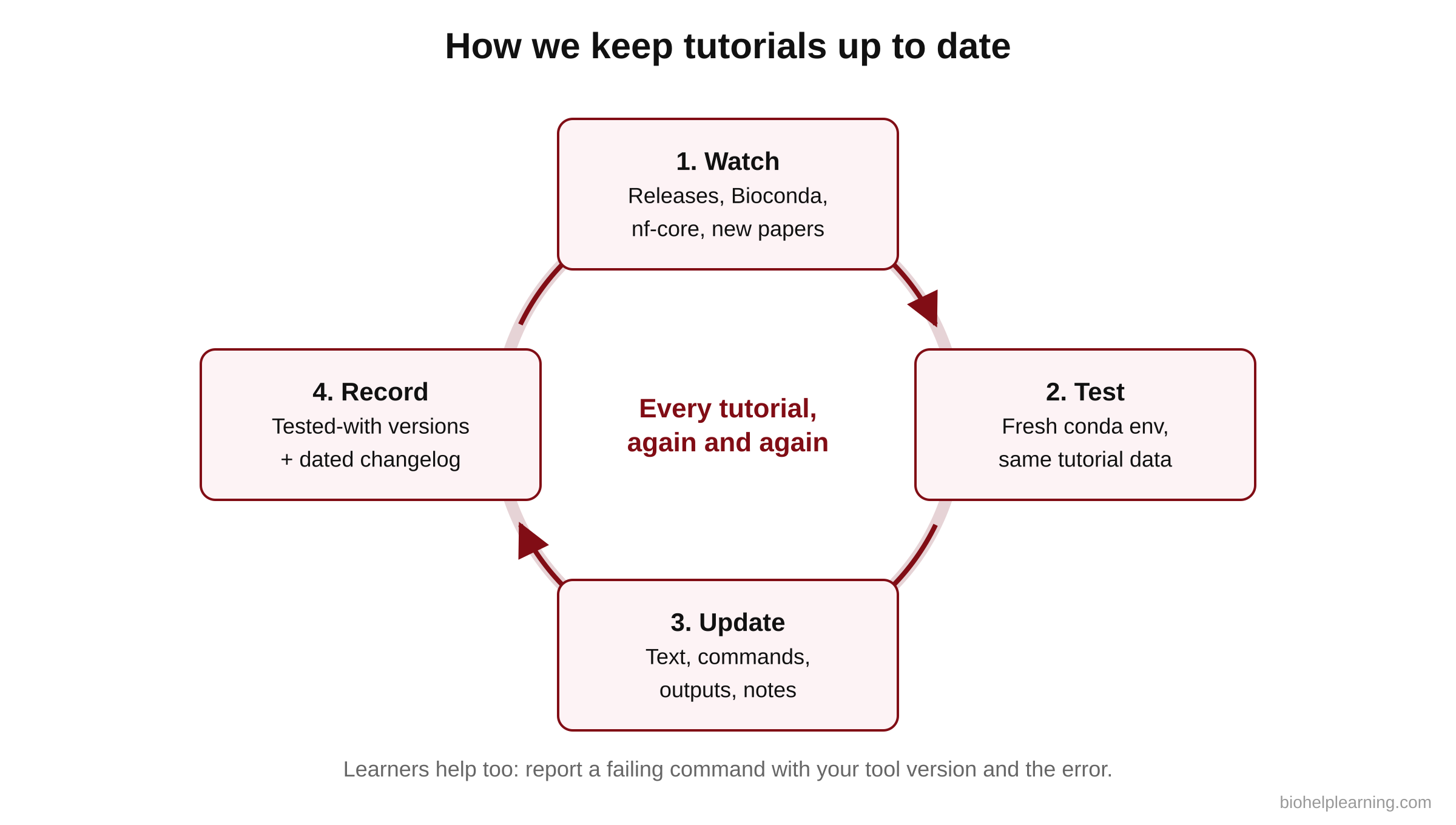
- Watch: we follow official release pages (GitHub releases, tool websites), Bioconda, nf-core, and new tool papers in journals such as Bioinformatics, Nature Methods and the Nucleic Acids Research web-server issue.
- Test: when an important version comes out, we install it in a fresh conda environment and rerun the tutorial’s commands on the same data.
- Update: if a command, option, default or output changes, we update the text, code and expected outputs, and add a note explaining the change.
- Record: each tutorial lists the tool versions it was tested with, so you always know what to expect.
- You help too: if a command does not work for you, tell us in the comments or through the contact page with your tool version and the error. We check every report.
We do not add every new tool the week it appears. Many new tools are interesting but not yet tested by the community. We add a tool to the main tutorials when it is well documented, actively maintained, easy to install (for example from Bioconda) and widely used or clearly better for a common task. Promising new tools are first mentioned in a “What’s new” note.
Which software we watch
| Area | Stable tools taught in the series | Newer tools and trends we are watching |
|---|---|---|
| Quality control and trimming | FastQC, MultiQC, fastp | Long-read QC tools such as NanoPlot |
| Alignment | BWA-MEM, minimap2, STAR, HISAT2 | BWA-MEM2 and GPU-accelerated aligners |
| Variant calling | GATK, bcftools | DeepVariant (deep-learning caller), DRAGEN (Illumina) |
| RNA-seq | STAR, Salmon, featureCounts, DESeq2 | Single-cell tools such as Scanpy and Seurat |
| Workflows | Nextflow, Snakemake, nf-core pipelines | Nextflow module registry (2026), Seqera Platform |
| AI and structure | AlphaFold Database | AlphaFold 3, AlphaGenome, Evo 2, protein language models |
How you can check versions yourself
Learn this early: before following any tutorial (ours or anyone else’s), check which version you have and which is the newest. These commands will make sense after the Linux tutorial.
fastqc --versionconda search -c bioconda fastqcThis lists every FastQC version available on Bioconda; the last line is the newest. To update a tool inside an environment named qc:
conda update -n qc -c conda-forge -c bioconda fastqcAnd to save the exact versions of everything in your environment, so you (or a reviewer) can rebuild it later:
conda env export -n qc > environment.yml▸ Go deeper: our rule for deciding when to update a tutorial
# Pseudo-code: tutorial update decision
for each tool used in the tutorial:
    new = latest stable release
    if new.version == tested.version: continue
    rerun tutorial commands with new version on the same data
    if commands fail or options/defaults changed:
        update text + commands + outputs  (priority: high)
    else if outputs changed but meaning is the same:
        update example outputs, add "changed in vX" note
    else:
        update "tested with" version only
    log the change with date
This keeps tutorials correct without chasing every minor release. Patch versions (for example 1.2.3 to 1.2.4) usually fix bugs; minor and major versions are where options and defaults are more likely to change, so they get a full rerun.
Researcher note: Software decay is a real problem in our field. Mangul et al. (2019, PLoS Biology 17(6): e3000333, doi:10.1371/journal.pbio.3000333) found that a substantial share of published omics tools were difficult or impossible to install, and many paper links had stopped working. Package managers and community standards reduce this: Bioconda (Grüning et al. 2018, Nature Methods 15: 475–476, doi:10.1038/s41592-018-0046-7), the bio.tools registry (Ison et al. 2016, Nucleic Acids Research 44: D38–D47, doi:10.1093/nar/gkv1116), Nextflow (Di Tommaso et al. 2017, Nature Biotechnology 35: 316–319, doi:10.1038/nbt.3820) and nf-core (Ewels et al. 2020, Nature Biotechnology 38: 276–278, doi:10.1038/s41587-020-0439-x). In a Methods section, always state tool names, exact versions, key parameters and the reference genome build.
✅ Quick check: Chapter 4
- Which command shows the FastQC version installed on your computer?
- Why don’t we add every new tool to the tutorials immediately?
- What does
conda env exporthelp you do?
Answers: 1. fastqc --version. 2. New tools need to be well documented, maintained, installable and proven before beginners rely on them. 3. Save exact tool versions so the analysis can be rebuilt later.